
Stop searching. Start finding every document in seconds.
Docnizer brings personal and family documents into one organized place, then uses AI to help you understand them, prepare what you need, and keep important next steps visible.

Available on Android · Your data can be deleted anytime

8+
document categories

AI
classification & extraction

Family
profiles and folders
Real-life moments
Built for the days when documents suddenly become urgent.
The value of document organization is not when you upload. It is when you need something important and cannot afford to waste time searching.

Office reimbursement deadline
Bills are in WhatsApp, gallery, downloads and email. The last date is today.

Hospital or insurance claim
Medical records, prescriptions and policy papers are needed quickly during a stressful moment.

Warranty or renewal follow-up
You remember buying it, but not where the invoice or warranty card is saved.
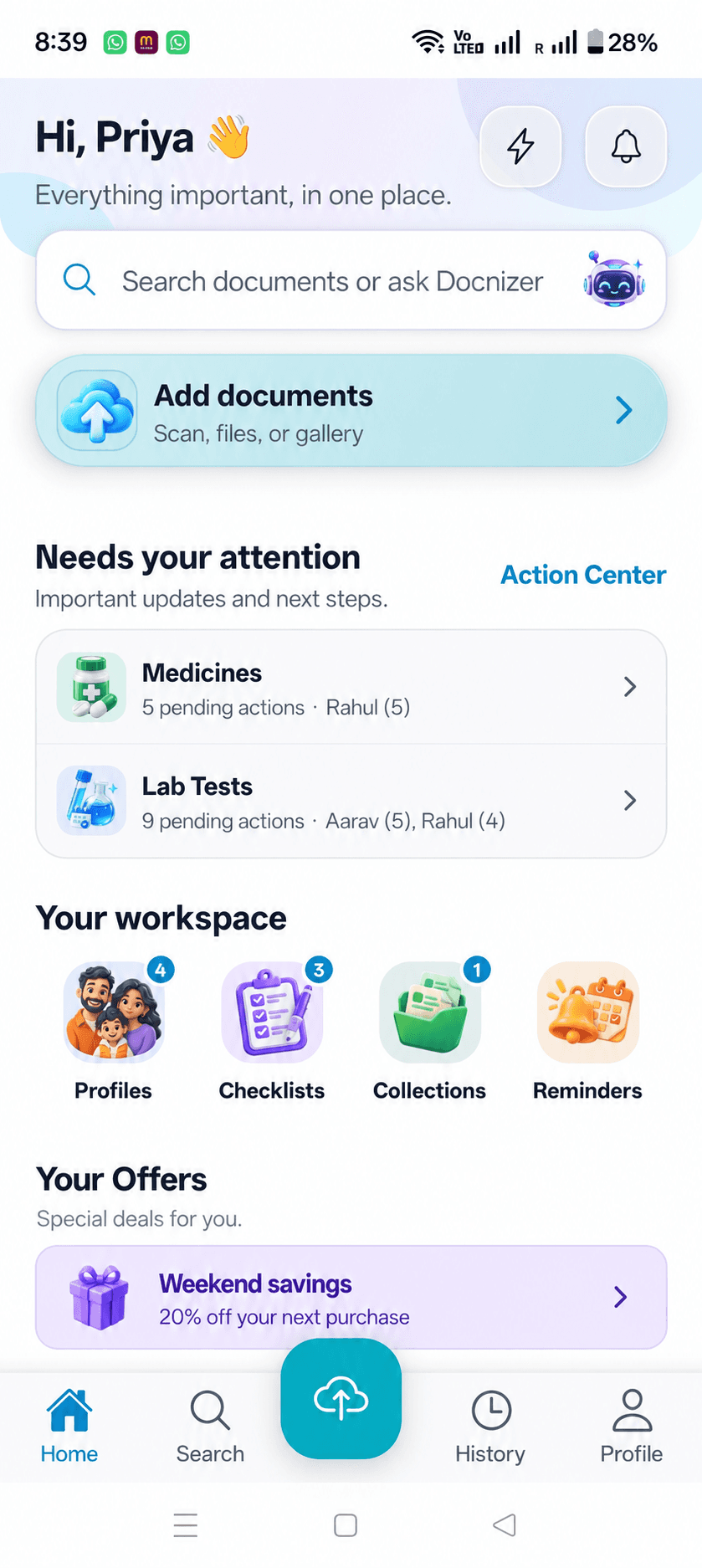
Your document workspace
One home for your documents — and what comes next.
Keep family profiles, checklists, related collections and follow-ups connected to the documents they belong to.

Profiles
Keep each family member’s documents in their own place.

Checklists
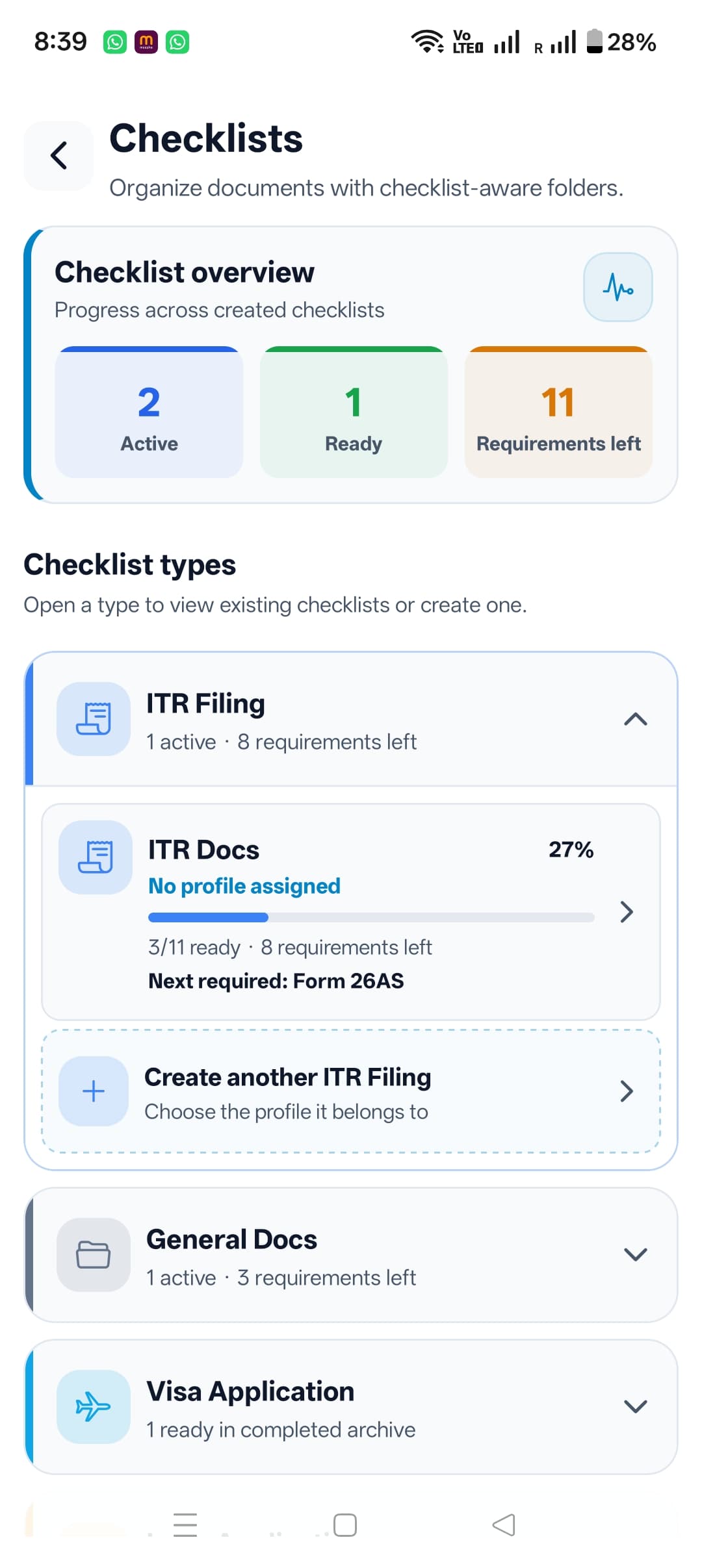
Know which documents are ready and which are still needed.

Collections
Group related documents when they belong together.

Needs attention
See important follow-ups without searching for them.
Understand, find, and act
A document is more useful when you can do something with it.
Review AI-assisted details, search saved information, and keep the practical next step close to its source.
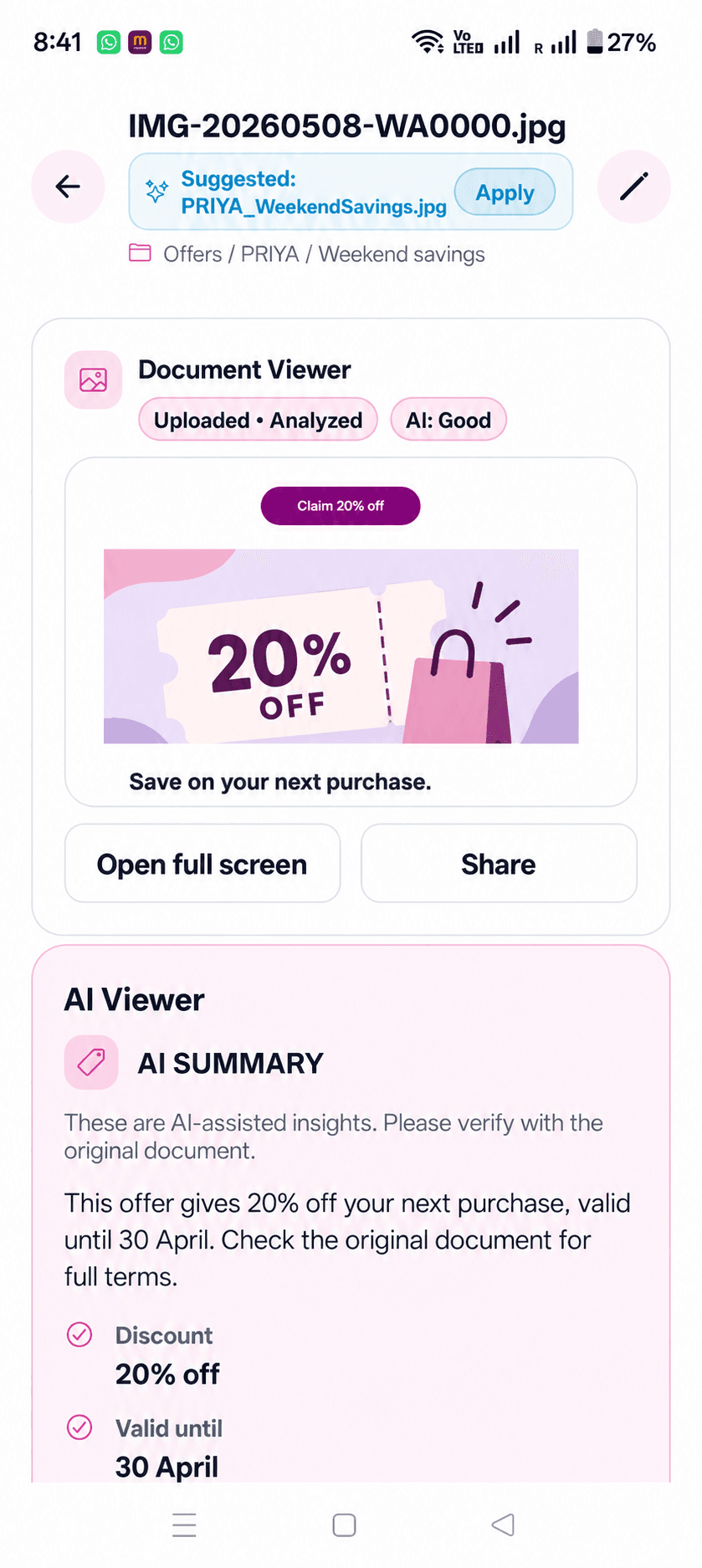
Understand with AI
Review AI-assisted summaries and extracted details alongside the original document.
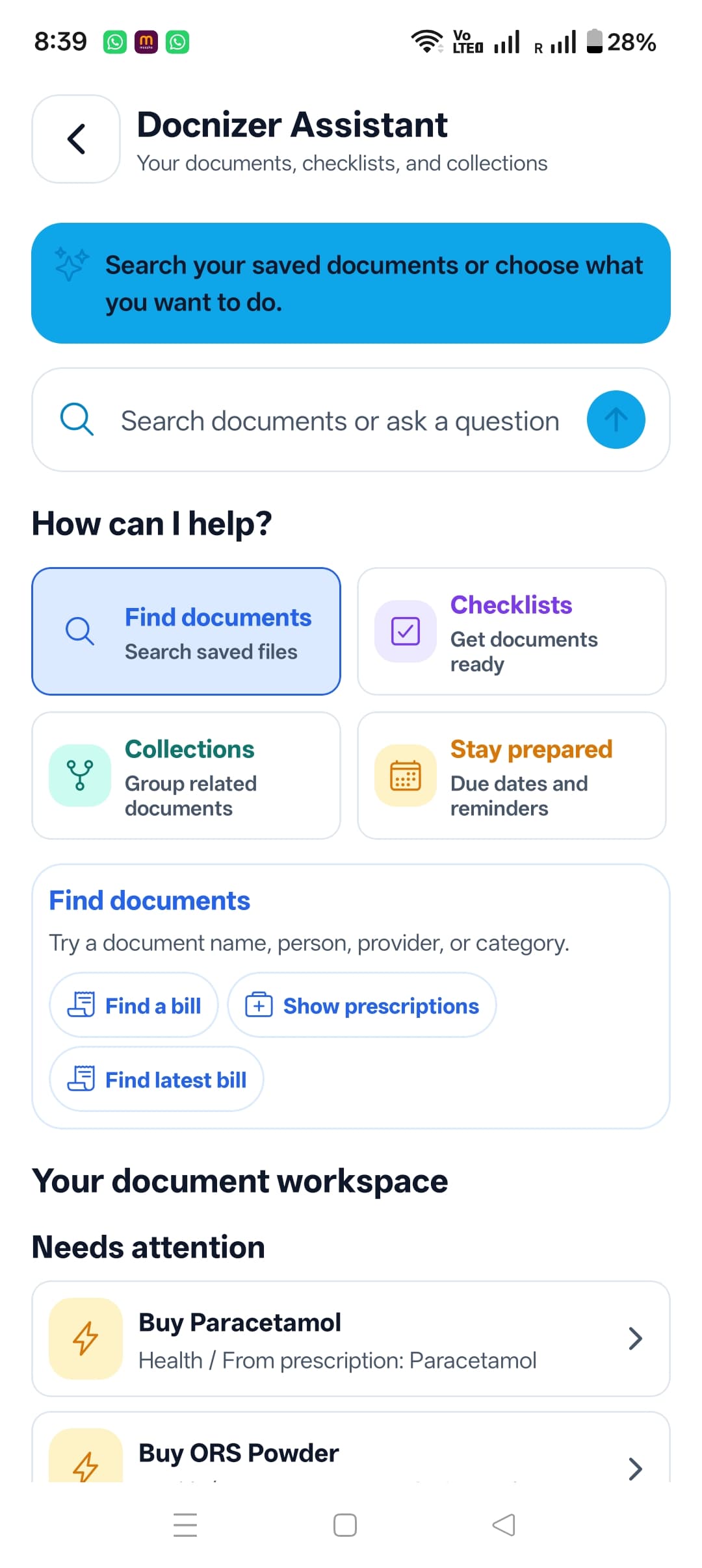
Find it faster
Search documents, categories, checklists and collections from one workspace.
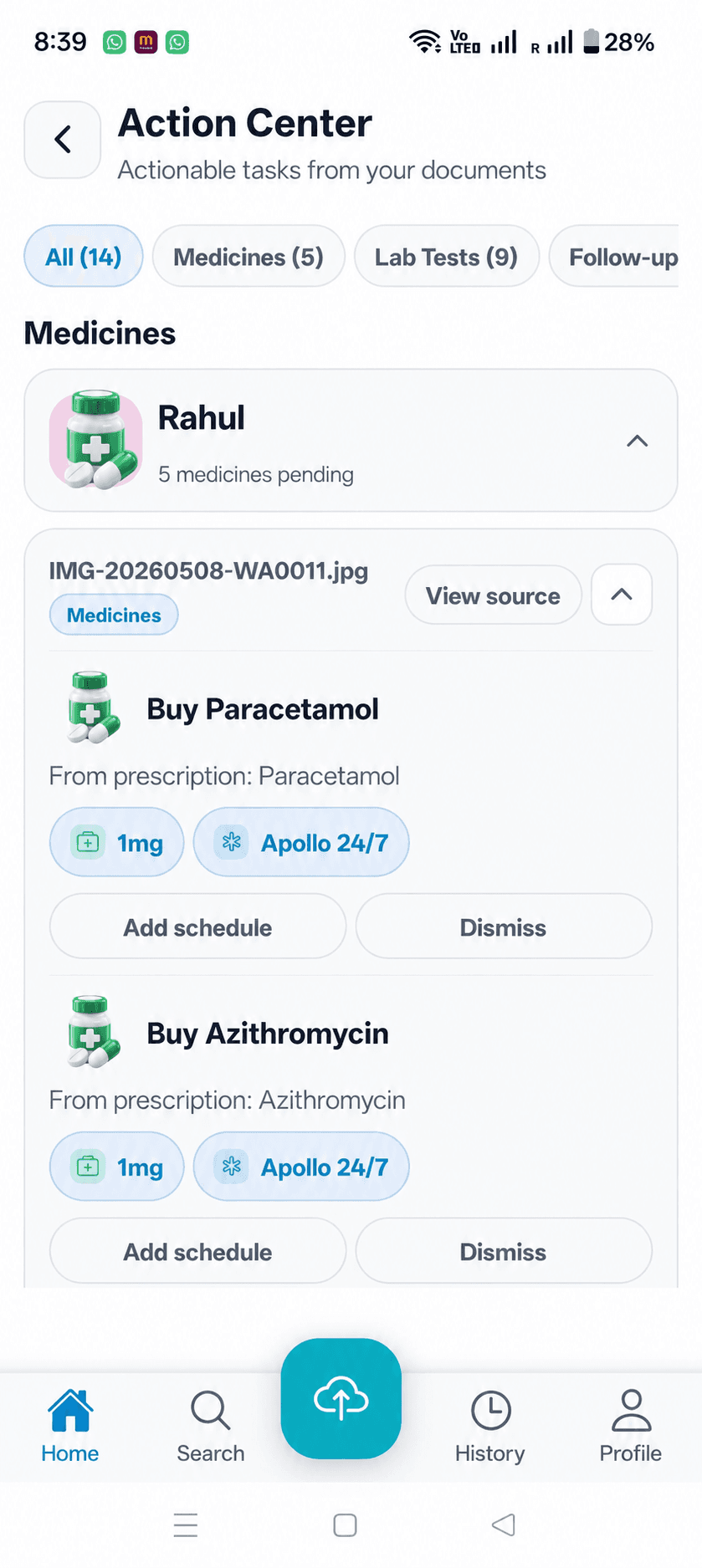
Prepare and act
Use checklists and follow-ups to keep the next step visible.
How it works
Add, organize, prepare, act.
Start with a scan, file or gallery image. Docnizer helps you understand it, get ready for what it is needed for, and keep the next step visible.
Add
Scan, select a file or choose from your gallery.
Organize
Review the suggested title and document details.
Prepare
Use checklists to see what is ready and what is missing.
Act
Keep practical follow-ups tied to the source document.
Categories
Everything filed where it naturally belongs.
Health, bills, insurance, travel, warranties, education, professional records and offers — cleanly separated but instantly searchable.
Health
Prescriptions, labs, records
Bills
Utilities, invoices, payments

Insurance
Policies, claims, premiums

Travel
Tickets, visas, hotels

Education
Certificates, marksheets

Professional
Payslips, contracts
Warranty
Receipts, product documents

Offers
Vouchers, promotions, savings
Comparison
Why not just use Drive or folders?
Drive stores files. Docnizer helps you organize, understand, find and act on the documents that matter in everyday life.
Security
Your data stays private, by design.
Documents are encrypted in transit and stored with per-user access controls. You control your files, account and deletion.
Read security overview →Encrypted in transit
TLS protects requests between your device and Docnizer services.
AWS S3 storage
Files are stored with strict per-user access controls.
Token-based auth
Access is protected through account-scoped authentication.
Delete anytime
Users can delete their account and associated data.
Questions
A few things people ask before getting started.
What can I add to Docnizer?+
You can add scans, photos and files such as bills, prescriptions, insurance papers, certificates, warranties, travel documents and tax records.
Can I organize documents for my family?+
Yes. Profiles help keep documents separate for you, your spouse, children, parents and other family members.
Does Docnizer keep the original document?+
Yes. AI-assisted details and summaries are shown alongside the original document so you can always review the source.
Is my data secure?+
Docnizer uses encrypted connections and account-scoped access controls for stored documents. You can also delete your account and associated data from the app.
Your documents deserve a better home.
Start with the documents you search for most: bills, insurance papers, prescriptions, warranties and certificates. Docnizer will help keep them ready.
Available on Google Play for Android